Airtime
SecondsHow
Landing time minus takeoff time.
Limits
It can only be as precise as the gap between frames: 0.017 s at 60 fps, 0.033 s at 30 fps. If the takeoff or landing is hidden, adjust the markers.

How every number is worked out from your video, and where it stops being reliable.
I built APERTURA to read my own passes at Al Forsan. I wanted numbers I could check, so this page shows how each one is made.
The rules here are the same ones the code uses. When a number depends on something one camera can't see, it carries an est. tag, and I explain why below. When the evidence is weak, APERTURA says so instead of guessing.
All of it runs in your browser, on your device. Your video is never uploaded. How your data is kept
 Nour, rider and builder
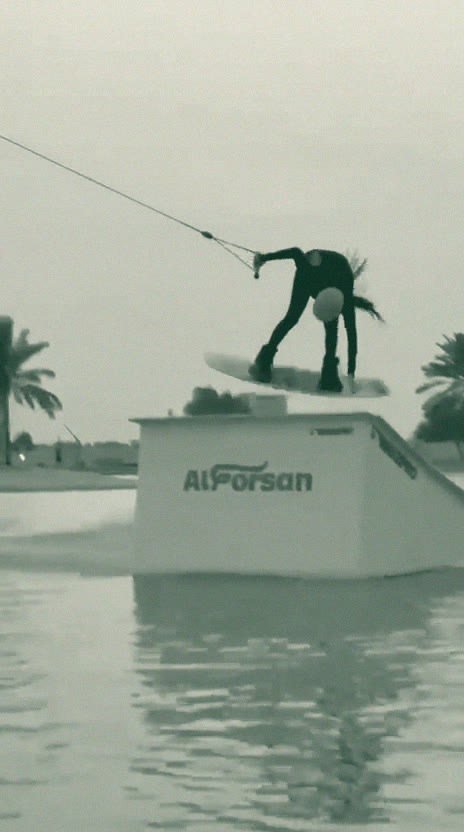 Pop
Pop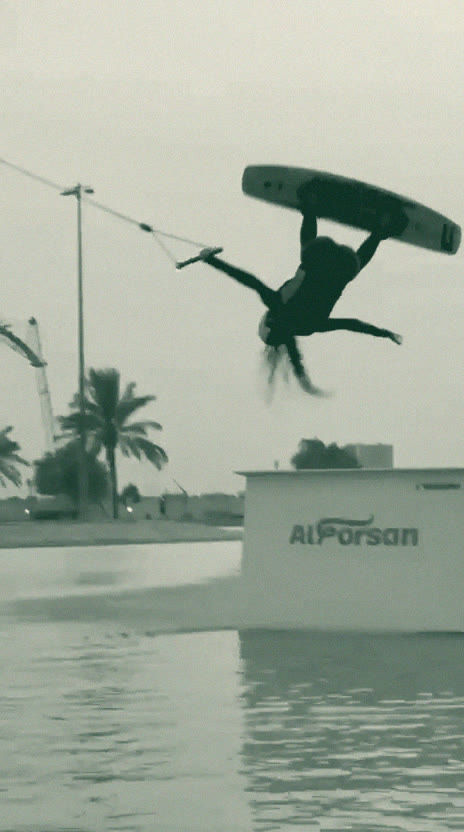 Over
Over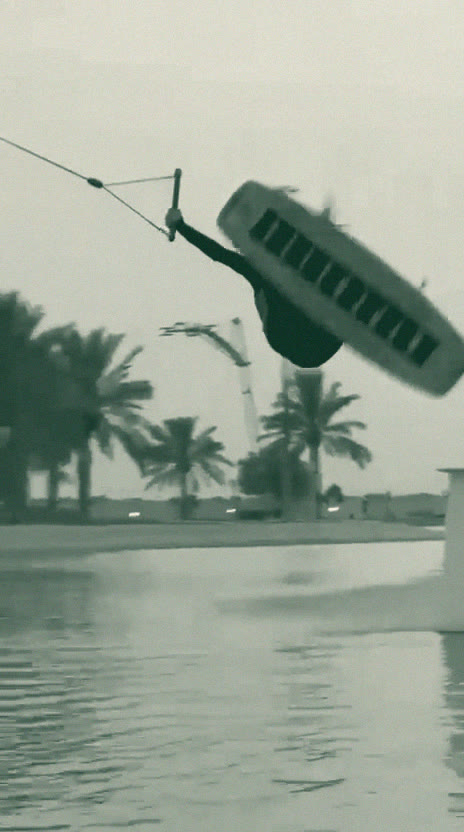 Invert
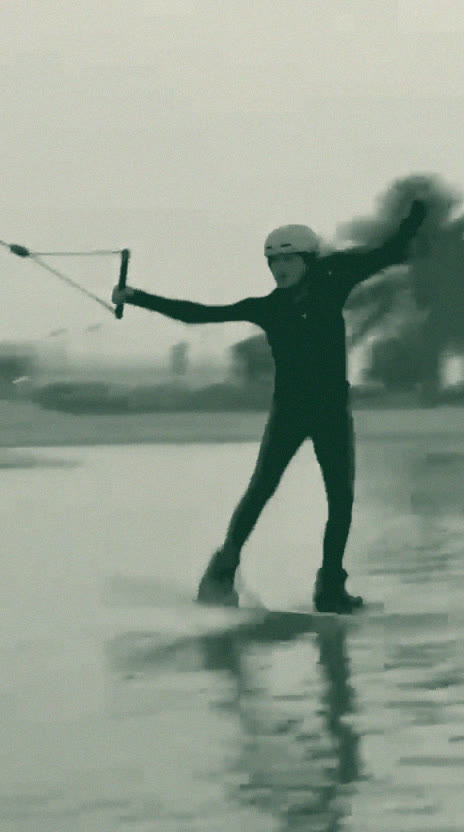 Land
LandYour browser opens the file, reads when each frame was filmed (exactly, for MP4 and MOV), crops any black bars and draws the frames it needs onto a canvas, with the long side at most 720 pixels.
Pose tracking runs on 15 frames per second of video across the part you trimmed, using MediaPipe Pose Landmarker (full). It finds 33 body points per person.
The body signals are searched for takeoffs and landings, using the rules in section 02.
From 1 second before to 1 second after each air, every frame is tracked at the video's own frame rate, up to 60 per second.
Each air is measured, the trick is named from fixed thresholds, and the notes are written.
Riders are small in the frame and often inverted, which pose models find hard. When the full frame gives no confident pose, or the pose it finds is far from where you were, APERTURA tries again on a zoomed square crop around where you were last seen, then on that crop turned so your last torso angle would stand upright, then turned by 180 degrees. Before you have been found at all, it tries 2 or 3 overlapping squares across the frame. The points are mapped back to the full frame.
When more than one person is found, it keeps the one whose position, size and torso angle carry on most smoothly from frame to frame. It also fixes frames where the model swaps your left and right side.
The points are smoothed with a One Euro filter, run forward and backward, which takes out jitter without adding lag. Gaps of up to 6 frames, and no longer than 0.35 s, are filled in from the frames on either side. Longer gaps stay empty, so no movement is made up.
The pose model runs on your processor. In testing it was as fast there as on the graphics chip, and the graphics chip version returned different points that missed my front flip.
The first time you analyse a run, your browser downloads the pose model (about 9 MB) and the code that runs it (about 13 MB) from this site, and keeps them for next time.
You are upside down: your feet are at least 0.25 torso lengths above your hips and your torso is 75 degrees or more from upright, in at least 3 measured frames close together. The turn has to show too: your torso covers 150 degrees or more from 1 s before to 0.6 s after, or is 120 degrees or more from upright twice. Two checks keep spray out: your upside-down torso is at least 55% as long as before takeoff, and your hips rise 0.5 torso lengths or more above their baseline. When the takeoff turn could not be measured, you also have to be seen upright before the upside-down part, and your hips have to rise 1.0 torso length or more.
Without going upside down, your hips rise 0.6 torso lengths or more above their baseline for at least 0.25 seconds. It only counts when the path of your hips fits a falling curve (a parabola, R squared 0.7 or more) with a downward pull of 6 to 80 torso lengths per second squared (gravity is about 20 for a typical torso), your ankles rise 0.3 torso lengths, your torso stays within 75 degrees of upright and the air lasts 0.2 to 2.5 seconds.
For an invert, the start of the turn: first the fastest turn of your torso between 0.8 and 0.2 seconds before the middle of the upside-down part, then back from there for as long as your torso keeps turning the same way at 300 degrees per second or more, at most 0.3 seconds back. Every time comes from the real time stamp of each frame in the file. If no turn reaches 500 degrees per second, takeoff is set 0.35 seconds before that middle (about half a flip) and the air is marked unclear. For a straight air, the moment your hips pass 0.15 torso lengths above the baseline.
For an invert, the first frame after the upside-down part where your ankles are at least 0.8 torso lengths below your hips and one knee is open to 160 degrees or more, with your torso within 60 degrees of upright. Failing that, the first frame with your ankles that low and your torso within 45 degrees of upright, then the first within 35 degrees of upright. The search stops 1.2 seconds after the upside-down part, and an invert's airtime has to be 0.2 to 2.0 seconds. For a straight air, the moment your hips drop back below 0.15 torso lengths.
Either rule is enough to mark an air. When two airs are found within 1.5 seconds of each other, only the stronger one is kept: a clear read first, then the one where your torso turned most directly. An invert is clear when its rotation could be followed for 270 degrees or more, mostly one way (the net turn is at least 70% of all the turning), the takeoff turn was measured and the first landing rule fired. A straight air is clear when the curve fits well (R squared 0.85 or more) with a downward pull of 10 to 40. Every other air is marked unclear.
If spray or the kicker hides the moment the board leaves or meets the water, drag the takeoff and landing markers on the timeline. Every number for that air is measured again from the stored points. Markers stay inside the part of the video that was analysed, airtime is capped at 2.5 seconds, and an air with markers placed by hand is always marked unclear.
Landing time minus takeoff time.
It can only be as precise as the gap between frames: 0.017 s at 60 fps, 0.033 s at 30 fps. If the takeoff or landing is hidden, adjust the markers.
Measured in the plane of the picture: your torso angle just after landing (the median from 0.05 to 0.3 s after) minus your torso angle just before takeoff (the median from 0.25 to 0.05 s before), unwrapped so a full turn counts as 360. It starts before takeoff because riders start turning on the lip. If the pose jumps further between two frames than a body can turn (for example more than 120 degrees in 0.035 s) anywhere from 0.3 s before takeoff to 0.3 s after landing, the way the turn went can't be known, and the rotation is left blank.
Filmed side-on, a flip shows its whole turn. When you rotate toward or away from the camera, part of the turn is hidden and the number reads low. Spins are not measured (section 04).
Front when the rotation goes the way your chest faces, back when it goes the other way. The chest side comes from where your knees bend, your nose points and your toes point from 0.35 to 0.02 s before takeoff, on frames where you lean under 60 degrees and the pose score is 0.6 or more, measured relative to your torso, so mirrored footage gives the same answer.
Left blank when those clues are unclear or the rotation is under 90 degrees. Without a direction, the air is not named as a flip.
The highest point of your hips above their height at takeoff, divided by your torso length (hips to shoulders).
Torso lengths, not metres, because one camera can't tell how far away you are. Moving toward or away from the camera changes how big you look, and a camera that zooms during the trick can make pop read several times too high.
The middle value (median) of the hip, knee and ankle angle of both legs over the first 0.07 s after landing. 180 is a straight leg, so a smaller number means more bend.
It needs your legs in view. Spray at touchdown can hide your ankles.
The median tilt of your torso from vertical over the same first 0.07 s after landing.
Only tilt in the plane of the picture shows. Leaning toward or away from the camera barely registers.
100 minus 3 times the spread of your torso lean over the 1 s after landing, counting only frames with a pose score of 0.6 or more where your torso is at least half as long as at landing (spray can produce small, wrong poses). The spread is 1.4826 times the median absolute deviation, in degrees, so a spread of 5 degrees scores 85. Kept between 0 and 100, and left blank with fewer than 10 usable frames.
It reads your upper body only. A tilting or shaking camera adds to the variation.
Looks at the 1.5 s after landing. Fall: your torso is more than 60 degrees from upright for 0.3 s in total. Ridden: you are tracked upright (lean under 45 degrees) for 0.7 s in total. Unclear: neither. It counts the same frames as balance.
If you ride out of the frame straight after landing, there may not be 0.7 s to see, and the result is unclear.
The trick name comes from the measured rotation and airtime, using these thresholds and nothing else. First, you must be tracked in at least half of the frames in the air; if not, the result is Trick not identified.
| Rotation (est.) | Also needs | Name |
|---|---|---|
| Any | Tracked in under half the air frames | Trick not identified |
| Not measured | You went upside down, but the turn went toward or away from the camera, or the video starts or ends too close to the trick | Trick not identified |
| 270 degrees or more | Rotating toward your chest | Front flip |
| 270 degrees or more | Rotating toward your back | Backflip |
| 270 degrees or more | Direction unclear | Trick not identified |
| 150 up to 270 degrees | A measured takeoff turn and pop height | Partial invert |
| 150 up to 270 degrees | Takeoff turn or pop height not measured | Trick not identified |
| Under 90 degrees, net and at every moment | Never upside down, and airtime of 0.30 s or more | Straight air |
| Anything else | Trick not identified |
Each air also stores the exact rule that named it, and that rule is in the data file you can download from the results.
Spins, where you turn around an up and down axis like a 180 or a 360, can't be measured reliably from one camera, because the turn happens toward and away from the lens. APERTURA never names a spin. You can still label your spins yourself on the Dataset page.
If you train your own model on the Dataset page, its guess appears next to the threshold name, labelled Your model, with how sure it is. It never replaces the threshold name.
Each note comes from one measured value crossing a fixed line. You get at most 3 notes per air, picked in the order below, and each one says which number it comes from.
| When | The note is about |
|---|---|
| Landing marked as a fall | What your lean (or airtime) shows about that landing |
| Rotation 30 degrees or more short of a full 360 on a flip or partial invert, when the landing was a fall | Finishing the rotation |
| Rotation mostly toward or away from the camera | Why the flip couldn't be measured from this angle |
| Knees straighter than 145 degrees at landing | More bend on the landing to soak up the impact |
| Torso lean over 25 degrees at landing | Landing more upright |
| Balance under 60 | Holding a steady stance after landing |
| Airtime up or down by 0.05 s or more against your earlier runs (the median of each run's best) | Whether your airtime is going up or down |
"You landed with your knees at about 150 degrees. Land with more bend to soak up the impact."
On the Dataset page you can label your airs (Front flip, Backflip, Straight air, Spin, Fall, Other, or any name you type) and train a small model on them. Training runs in your browser, and the model stays on this device.
With a handful of labels the scores move a lot. If the test set holds 5 airs, each one is worth 20 percentage points of accuracy. Treat the numbers as a rough check until you have a few dozen airs per trick, and use the confusion matrix to see which tricks it mixes up.
est. marks a number that depends on something one camera can't check: how far you are from the lens, the angle you were filmed from, or how much of your body turns out of the picture. Rotation, direction, pop height, knee bend, torso lean and balance carry it. Airtime and the landing result don't: they come from frame times and from whether you are upright.
These numbers are good for comparing your own runs filmed the same way. They are not lab measurements, and comparing them across different camera angles or different riders will mislead you.
The Analyze page has my front flip and backflip ready to run, or you can drop in your own clip.